 comparison
Lunar Mansion Calculators Compared for Beginners
Table of Contents
- Quick Comparison: Lunar Mansion Calculators at a Glance
- What Beginners Actually Need From a Lunar Mansion Calculator
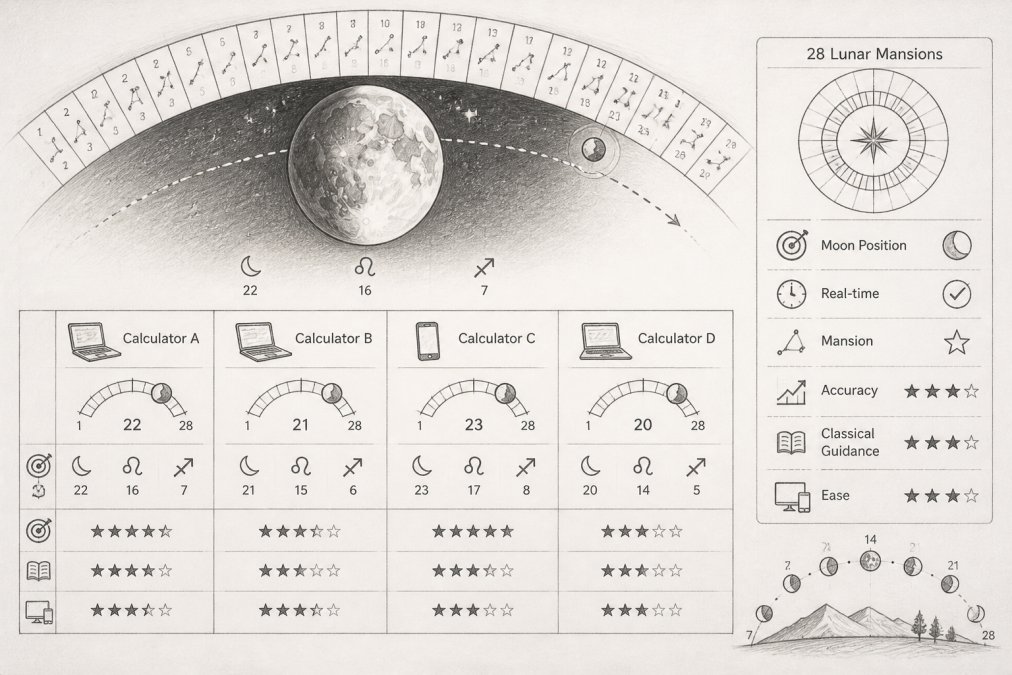
- Why Different Calculators Show Different Lunar Mansions
- How to Verify Your Lunar Mansion Results Step by Step
- Best Practices for Using Lunar Mansion Calculators
- Using Lunar Mansions for Activity Planning
- Conclusion
- Frequently Asked Questions
Last Updated: September 24, 2026
Quick Comparison: Lunar Mansion Calculators at a Glance
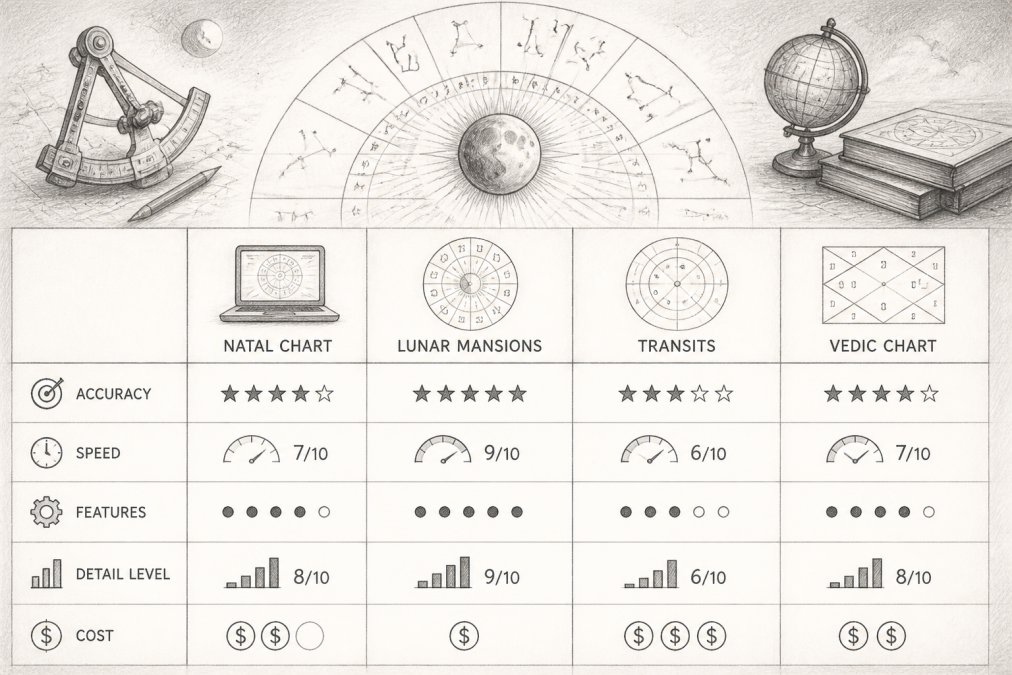
Beginners searching for lunar mansion calculators run into the same wall: every platform seems to return a slightly different answer, and none of them explain why. That confusion has a technical cause, not a mystical one. According to Astrology API's platform comparison, there is no meaningful accuracy difference between major calculators for the techniques they both support.
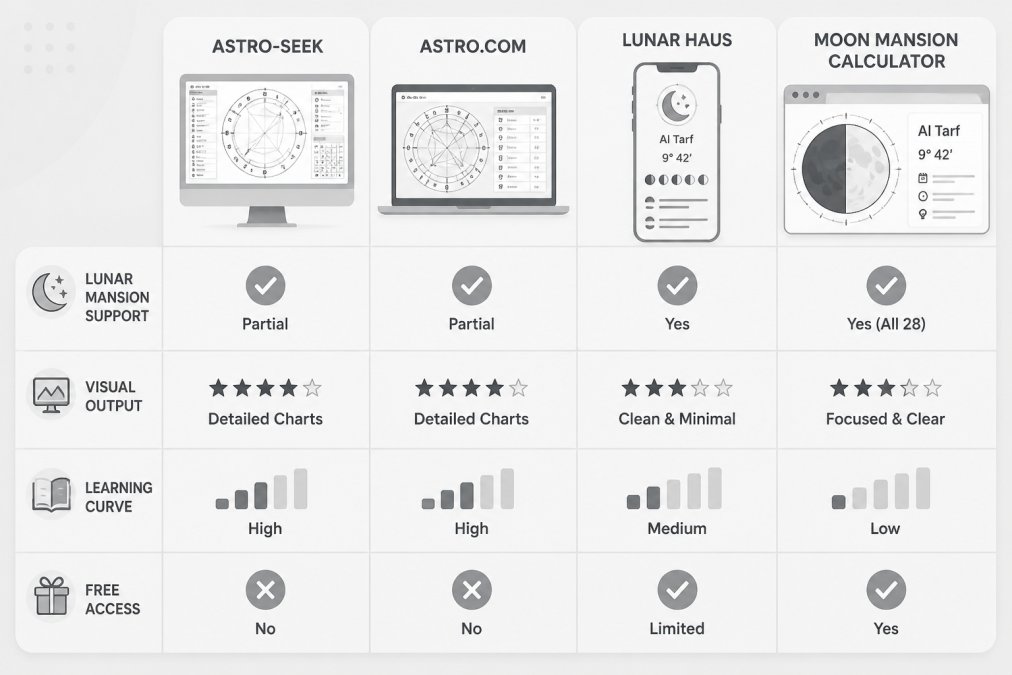
| Platform | Lunar Mansion Support | Visual Output | Learning Curve | Free Access |
|---|---|---|---|---|
| Moon Mansion Calculator | All 28 mansions, natal and current | Generative artwork per mansion | Gentle | Yes, no sign-up |
| Astro-Seek | Via sidereal settings | Chart wheel and tables | Steep | Yes |
What Beginners Actually Need From a Lunar Mansion Calculator
A beginner needs three things from a lunar mansion calculator: a clear answer, a visible reason to trust it, and an interface that does not demand prior study.
Data Input Requirements: Time, Location, and Coordinates
Every calculation starts with birth data: date, exact time, and place. Time matters most, a birth time off by twenty minutes can shift the ascendant and, in some configurations, the mansion boundary itself. Location is the second trap: most tools convert a city name internally using historical time zone records, so a wrong offset for a birth year drifts every downstream number.
A practical checklist for entering data:
- Use a birth certificate time, not a family estimate
- Enter the city as it was named at the time of birth
- Double-check the time zone offset the tool displays before calculating
- Save the exact settings you used so you can reproduce the result later
Visual Accessibility and Chart Wheels
Chart wheels are the standard visual language of astrological software, and they are hard to read cold, a beginner facing glyphs, aspect lines, and house cusps has no obvious entry point. Moon Mansion Calculator takes the opposite approach, pairing each of the 28 mansions with its own generative artwork so the current mansion is identifiable at a glance rather than decoded.
Why Different Calculators Show Different Lunar Mansions
Different calculators show different mansions because they answer slightly different questions. A platform set to the tropical zodiac, a whole-sign house framework, and a default time zone produces a different mansion boundary than one configured for the sidereal zodiac with precise coordinate handling. Neither is broken, they measure from different starting points.
The 28-Mansion Math: What Actually Gets Divided
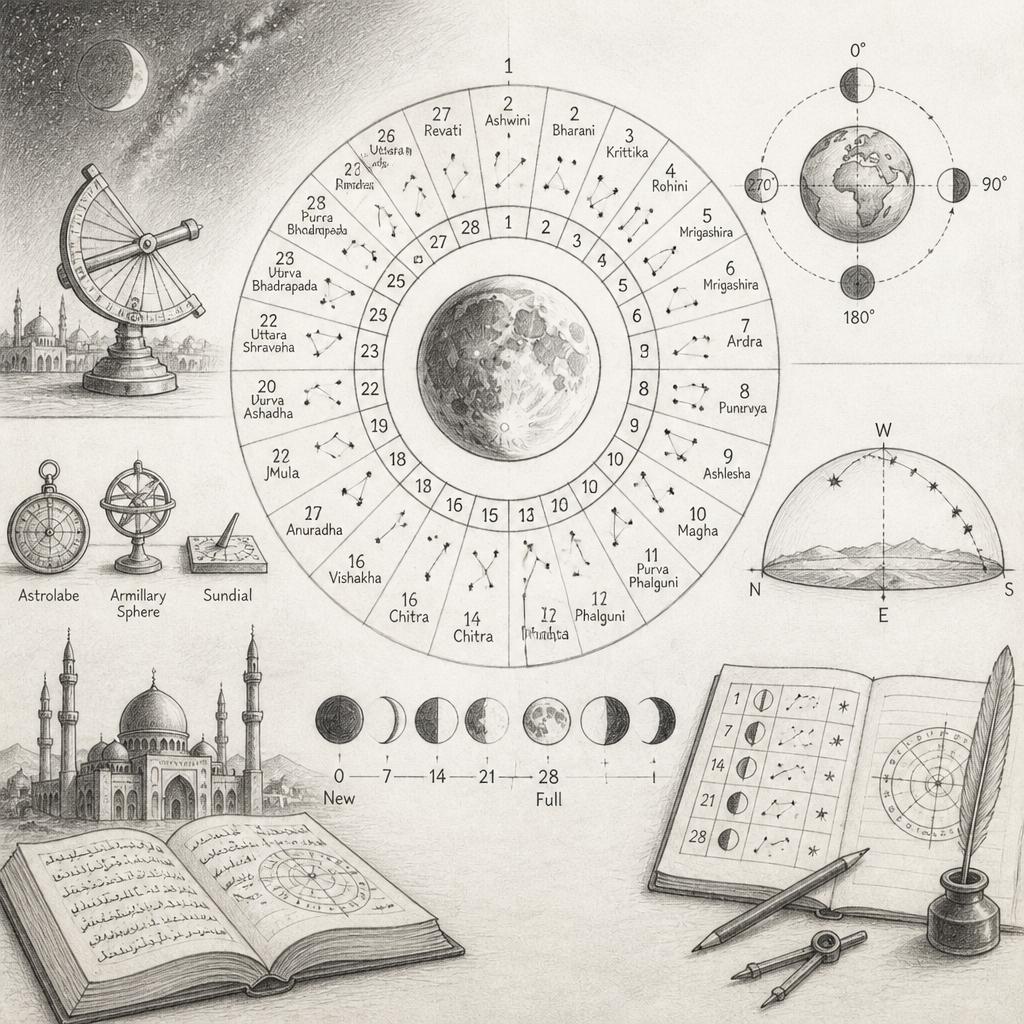
A lunar mansion is a 360-degree circle split into 28 unequal arcs, and each calculator has to decide three things before it can place the Moon in one:
- Where the circle starts. The sidereal zodiac is anchored to fixed stars; the tropical zodiac is anchored to the vernal equinox. The two drift apart by roughly one degree every 72 years, which compounds into a meaningful gap over a natal chart's timeline. If a platform defaults to one and the user assumes the other, the mansion shifts.
- How the 28 arcs are sized. Some systems use equal arcs of about 12.86 degrees each. Others use the mansion boundaries tied to specific star positions, which produces unequal spans. Two platforms can agree on the zodiac and still disagree on which mansion the Moon occupies near a boundary.
- Which ayanamsa correction is applied. The offset between the two zodiacs is called the ayanamsa, and different platforms apply slightly different values for the same date. The difference is usually small, but near a mansion cusp a fraction of a degree is enough to flip the result.
A Boundary Case Beginners Can Actually Picture
Say the Moon sits at 14 degrees of a sign. One platform using equal 12.86-degree arcs places it in the second mansion; another using star-anchored boundaries that begin the second mansion at 14.2 degrees places it in the first. Both are internally consistent, but the user sees two names and concludes one tool is wrong.
What This Means for Choosing a Tool
To compare platforms meaningfully, you need to know which variables each one exposes. Broad platforms let you set the zodiac and house system yourself, which is powerful but puts consistency on you. A focused tool like Moon Mansion Calculator fixes the mansion division and reports the result directly, returning the same mansion every time for the same input.
How to Verify Your Lunar Mansion Results Step by Step
Verification takes about ten minutes. The goal is not to prove one platform right, but to confirm the settings behind your result are the ones you intended. This workflow catches the three things that actually go wrong: bad birth data, mismatched configuration, and boundary cases.
Step 1: Lock Down Your Birth Data
Before touching any calculator, write down three things:
- The birth date, exactly as it appears on the certificate
- The birth time, to the minute, from the certificate, not a family estimate
- The birth city as it was named at the time of birth, not its current name
A birth time off by twenty minutes can shift the ascendant and, in some configurations, the mansion boundary itself. If you only have an approximate time, note that, every result afterward inherits that uncertainty, and any mansion within a degree of a boundary should be treated as unconfirmed. Refining these calculations requires a deeper grasp of the underlying principles found in metaphysical study books that provide the necessary context for interpreting such sensitive celestial alignments.
Step 2: Record the Platform's Settings, Not Just Its Answer
Open the calculator and, before reading the mansion, write down:
- The zodiac setting (sidereal or tropical)
- The house system, if the platform exposes one
- The time zone offset the tool displays for your birth location and date
- The ayanamsa value, if shown
Step 3: Run the Same Data on a Second Platform
Enter identical data on a second calculator and record its settings the same way. Compare settings before mansion names.
- If the zodiac settings differ, adjust one platform to match and recalculate.
- If the house systems differ and the platform allows a change, align them.
- If the time zone offsets differ, stop, one platform is using the wrong historical offset for your birth year, which is a data problem, not a preference.
Step 4: Sanity-Check the Moon's Position Independently
Before trusting either mansion result, confirm the Moon's longitude for that date against a published ephemeris. If both platforms match the ephemeris within a fraction of a degree, their astronomy is sound and any mansion difference is definitional. If a platform's Moon longitude is off by more than a degree, its time zone or coordinate handling is wrong and the mansion result is unreliable regardless of settings.
Step 5: Compare the Mansion Only After Everything Else Matches
Once both platforms share identical zodiac, house system, and time zone offset, and both Moon longitudes match the ephemeris, compare the final mansion. If they still differ, you are almost certainly looking at a boundary case, the Moon is within a degree or two of a cusp and the platforms divide the 28 arcs slightly differently.
Step 6: Save a Reproducible Settings Note
Write down the date, platform, settings, Moon's longitude, and resulting mansion in one place. A saved settings note turns a confusing discrepancy into a repeatable result you can reproduce instead of starting over.
Best Practices for Using Lunar Mansion Calculators
Best practices for using lunar mansion calculators come down to consistency and record-keeping. Beginners who get reliable results use the same settings every time and write them down.
- Fix your zodiac and house settings once, then leave them alone
- Store birth data in one place with the exact time zone offset used
- Note the mansion for each date you care about, along with the Moon's phase and illumination
- Recheck your natal mansion annually rather than recalculating from scratch each time
- Treat any result you cannot reproduce as unverified until you find the setting that changed it
Using Lunar Mansions for Activity Planning
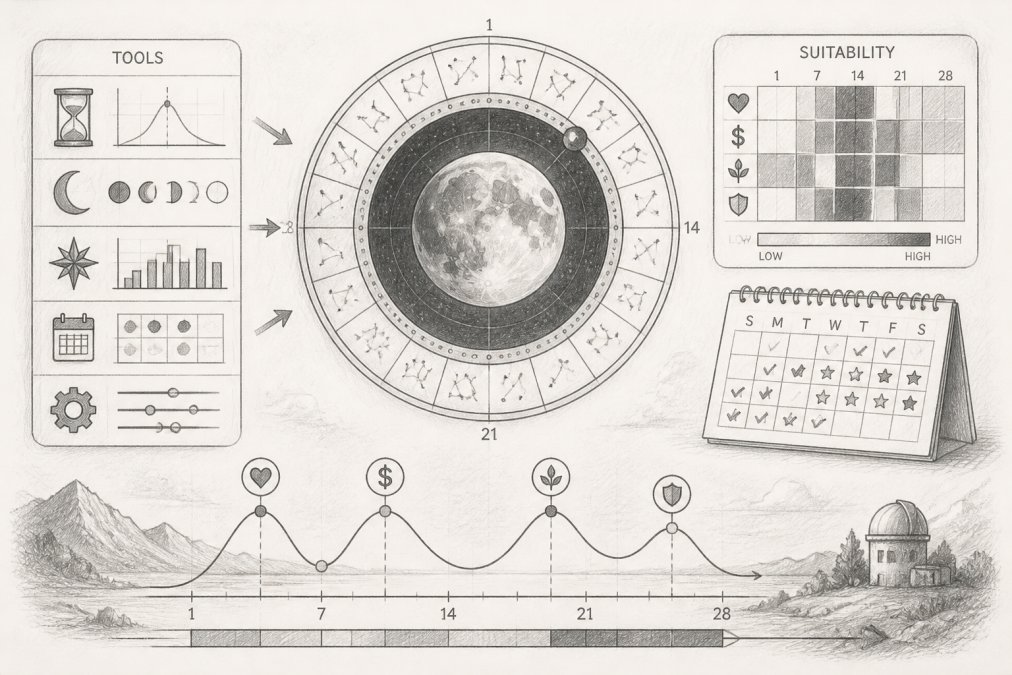
Using lunar mansions for activity planning means matching a proposed action to the traditional character of the mansion the Moon currently occupies. Classical sources, including the Picatrix, assign each mansion activities it supports and others it does not, you choose the timing, not just the action. For example, someone planning a long journey checks the current mansion, confirms the Moon's phase and illumination, and compares the mansion's traditional guidance for travel and beginnings.
Conclusion
The real difficulty with lunar mansion calculators is not accuracy but configuration. Two platforms with identical settings will agree; two with different settings will not, no matter how precise either engine is. Beginners who understand that stop chasing "the most accurate calculator" and start controlling the variables themselves.
Frequently Asked Questions
What features should beginners look for in a lunar mansion calculator?
Beginners should prioritize a clear visual output, plain-language labels, and a low learning curve. A tool that maps the Moon's position across the 28 mansions without requiring you to configure house systems or zodiac settings first is ideal. Look for moonrise, moonset, phase, and illumination data displayed alongside the mansion name. Moon Mansion Calculator offers all of this in a browser-based interface with no sign-up required, making it a practical starting point.
Why do different lunar mansion calculators show different results?
Discrepancies between platforms typically come from differences in house systems, time zone handling, geographic coordinate settings, and zodiac definitions rather than calculation errors. Platforms often produce different birth chart results for these configuration reasons. If two calculators show different mansions, check whether one uses sidereal zodiac and the other tropical, and confirm both are using the same time zone offset and coordinate precision for your birth location.
How can beginners verify the accuracy of a lunar mansion tool?
Start by entering a known reference date and location, then cross-check the Moon's longitude against a published ephemeris. There is no meaningful accuracy difference between major calculators for supported techniques, so any discrepancy you find usually points to a settings mismatch rather than a faulty algorithm.
Are all lunar mansion calculators based on the same astronomical data?
Most reputable calculators draw from the same underlying ephemeris data, which is why there is no meaningful accuracy difference between major platforms for the techniques they both support. The variation comes from how each tool handles settings: zodiac configuration, house system, coordinate precision, and time zone offset. A calculator that locks these settings to a sensible default for beginners reduces the chance of confusing results without sacrificing calculation quality.